Starlink V5: Smaller, Lighter, Just as Fast — What’s New
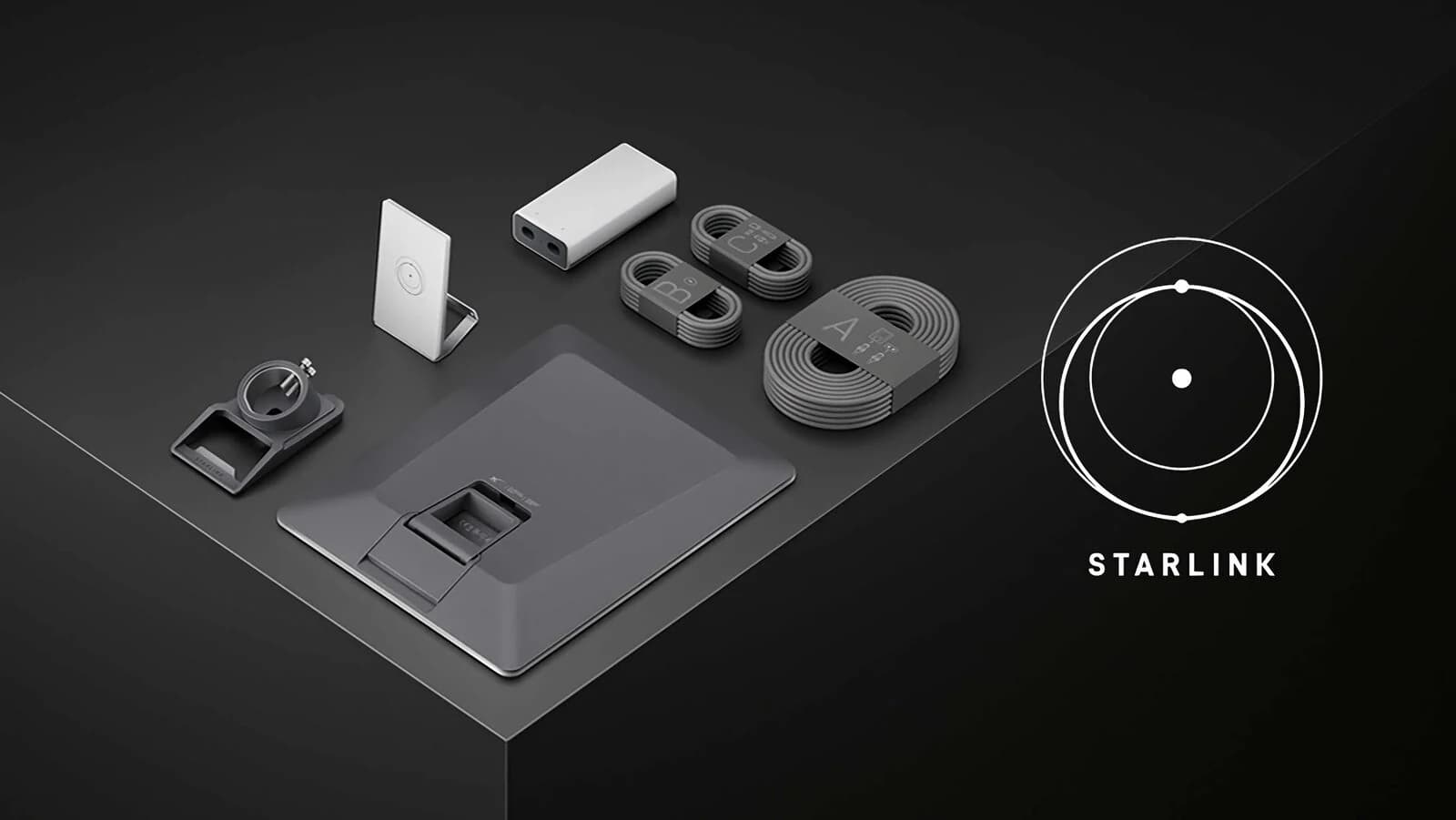
SpaceX launches the Starlink V5 terminal
Lighter, smaller, yet just about as fast: Starlink has announced its new V5 terminal. Succeeding the V4, it brings clear upgrades for residential use — a more compact form factor, a lighter design and better power efficiency. Worldwide rollout is expected in the coming weeks or months; for now it is available in select areas of the United States.
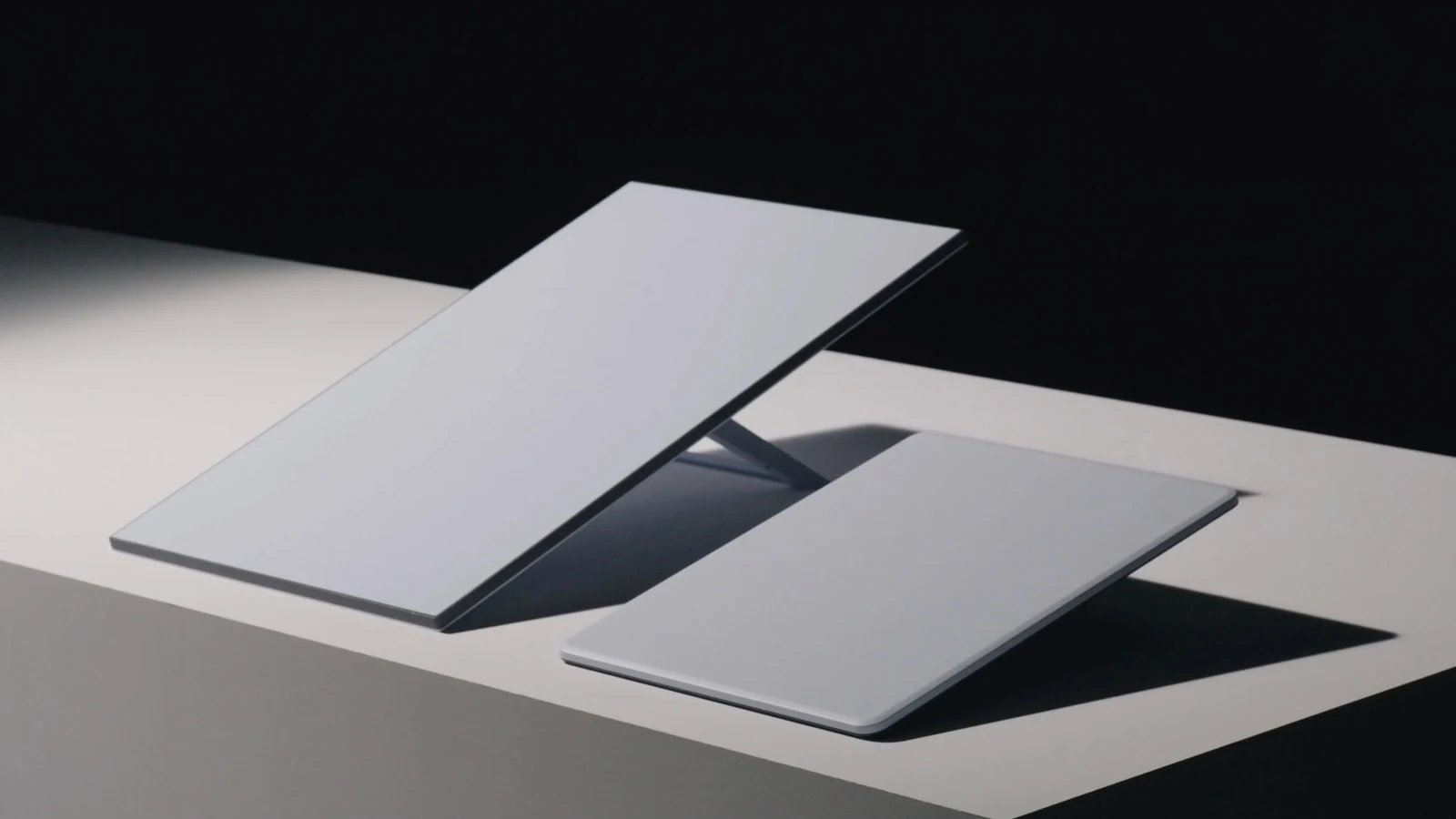
On the left, Starlink V4; on the right, the V5, clearly more compact. © Starlink
A fixed dish — not designed for travel
Some rumours suggested Starlink V5 would be ideal for on-the-go use. It is not: do not confuse it with Starlink Mini, which SpaceX mentioned when announcing the V5.
- Starlink Mini: plans with 100 GB or unlimited data, built for mobility.
- Starlink Residential (including V5): three home plans — €35/month up to 100 Mbit/s, €45/month up to 200 Mbit/s, and €65/month up to 400 Mbit/s (theoretical speeds depending on the plan).
V5 remains a fixed terminal for reliable residential broadband. With speeds up to 375 Mbit/s, it handles streaming, video calls, online gaming and remote work.
What’s in the Starlink V5 kit?
The full pack includes everything you need to get online:
- Starlink V5 terminal
- Kickstand
- Pipe Adapter Mount
- Router Mini with stand
- 15 m (50 ft) Starlink cable
- 1.5 m (5 ft) AC power cable
- 2 m (6.5 ft) Ethernet cable
Yes — Starlink V5 ships with a Router Mini. Compatible with Wi‑Fi 6, it can cover up to about 204 m² (2,200 sq ft) and, according to SpaceX, handle up to 235 connected devices at once — higher throughput, lower latency and more stable links than previous Wi‑Fi generations.
Specs: V4 vs V5 head-to-head
The two units differ mainly in size and power use. V5 quotes slightly lower peak download speeds, but it is far less power-hungry.
- Peak download speed: V4 400+ Mbps — V5 375+ Mbps
- Dimensions: V4 594 × 383 × 39.7 mm — V5 384 × 306 × 34 mm
- Weight: V4 2.9 kg — V5 1.1 kg
- Average power draw: V4 75–100 W — V5 35–50 W
- Router compatibility: V4 and V5 — Router 2, 3 and Mini
The new Starlink V5 is about 35% smaller than V4 and weighs only 1.1 kg. SpaceX notes that real-world speeds vary with your plan, time of day, network capacity and local congestion. The slight drop in peak download (375+ vs 400+ Mbit/s) may disappoint some power users, but remains more than enough for comfortable home use.
The lower power draw (35–50 W) is especially useful with solar panels, battery storage or off-grid setups — a real plus for isolated homes inland on the French Riviera.
Tougher against wind and weather
According to SpaceX, Starlink V5 can withstand winds up to 265 km/h (165 mph), versus about 97 km/h (60 mph) for the previous generation. The dish is better suited to areas with extreme weather or frequent storms — mistral, easterly gusts, Mediterranean thunderstorms.
That durability also widens use cases: exposed buildings, mountain sites, remote locations without classic internet infrastructure. For a lasting roof or wall install, a permanent residential Starlink installation remains the right approach.
How to set up your Starlink V5 kit
1. Download the Starlink app
Install the Starlink app on your phone, then scan the QR code included with your kit to start setup.
2. Plug in the cables
Connect the Starlink cable to the terminal with the cable lock facing up. Push it in until the plug sits flush with the surface. If you route the cable through the mounting pipe, feed it through the pipe first, then through the opening on the Pipe Adapter.
3. Choose the right location
Place the dish where it has a clear view of the sky. Trees, buildings or poles can block the signal. Use the obstruction check tool in the app; if you need to rotate the dish, follow the alignment tool.
4. Connect Starlink to the internet
If you use the Starlink router, plug it into power. If you use your own router, connect it to the WAN port with the Ethernet cable.
Availability and pricing
Starlink V5 is currently available only in select areas of the United States. The base plan there starts at about $55/month; SpaceX has not yet officially published hardware pricing for France. In Europe, current residential plans remain those listed above (from €35/month). To budget kit + installation, see also our guide: Starlink installation cost in 2026.
Conclusion
Starlink V5 shows SpaceX is not only expanding its constellation — it is making the terminal easier to install, lighter, more efficient and more weather-resistant. For households in the Alpes-Maritimes and Var waiting on fiber or stuck with end-of-life ADSL, it is a welcome evolution once the hardware reaches us.
A more compact, lighter dish mainly makes a professional install cleaner (mount, waterproofing, cable routing, Wi‑Fi). That is exactly what we deliver across the French Riviera.